
Whitepages Search, Find People
WhitepagesCommunication
3.822.22K Reviews
- Version
- 9.10.0
- Installs
- 5.00M
- Age Rating
- Everyone
Screenshots
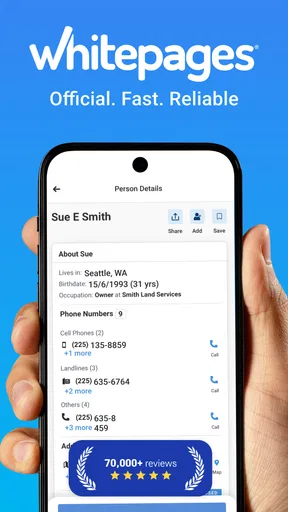
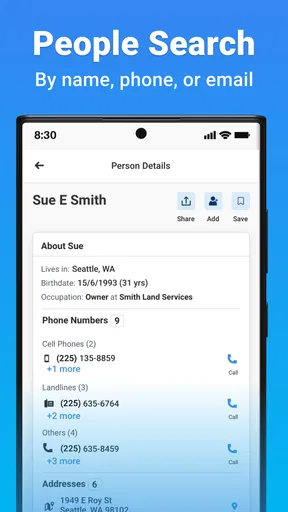
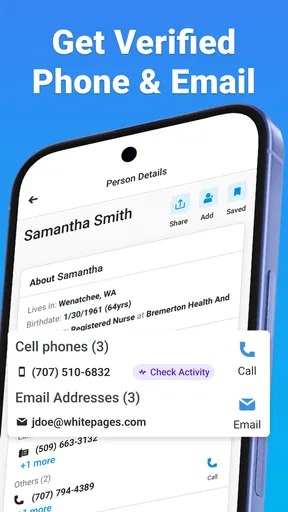
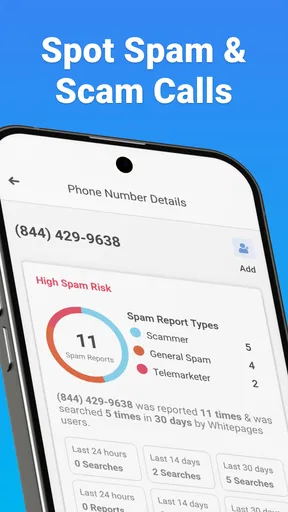
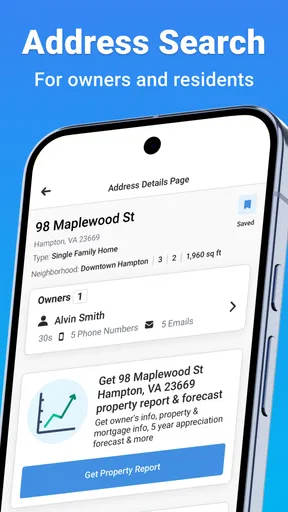
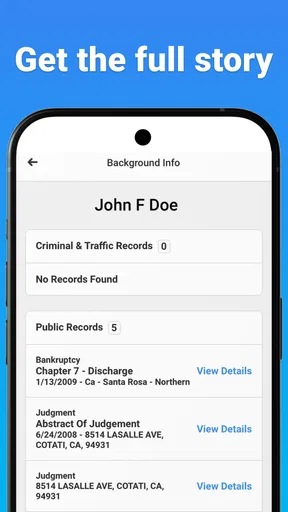
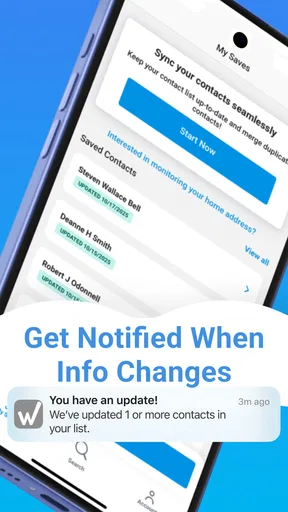

Our Review of Whitepages Search, Find People
 Analysis by Appyee
When I need to identify an unfamiliar caller or look for a person using details I already have, Whitepages Search, Find People is a practical place to start. It brings people and phone searches together in a communication app from Whitepages, with a broader scope than a basic contacts list. I find it most useful as a lead-finding tool: it can help me decide what to check next, but I wouldn’t treat a search result as proof that every detail is current or belongs to the person I have in mind.
When a search depends on a connection
The app’s searches are useful when I can enter a name, phone number, or address and want to see whether a match turns up. That also means the experience depends on being able to reach the service: I wouldn’t plan on looking up a caller in a place where I have no reliable connection. For a quick check at home or before returning a call, that is an easy trade-off; when I need information immediately in a low-connectivity situation, the app is less dependable as a reference than contact details I have already saved.
Search results are best treated as clues to assess, not answers to accept automatically. A familiar name can belong to more than one person, and old or incomplete details can make a match ambiguous. I get more value by starting with the strongest detail I have—often a full name or phone number—then checking whether the rest of the result makes sense before acting on it.
Getting Started with Whitepages
First off, downloading the app is a breeze. Whether you're on an Android or iOS device, the app is lightweight and installs in a snap. Once you fire it up, you're greeted with a simple and intuitive interface that even your tech-averse grandma could navigate. The app is free to download, and its Everyone age rating makes it suitable for a broad audience, although the kind of information people searches can surface calls for thoughtful use.
There's a search bar right on the home screen, prompting you to enter the name, phone number, or address of the person you're trying to find. I personally love how straightforward it is—no frills or unnecessary clutter. Just type and go. A useful habit is to check the spelling and any identifying detail before searching again: changing one piece of input at a time makes it easier to tell whether a different result reflects a better match or simply another person with a similar name.
Features That Stand Out
One of the coolest features of Whitepages Search, Find People is its ability to pull up detailed info with just a few taps. I was pleasantly surprised at how much data it can provide. From basic contact info to potential relatives and even criminal records, it's all there. This makes it incredibly useful for everything from reconnecting with childhood friends to screening potential roommates. I’d still use those results as a starting point rather than a verdict, especially for consequential decisions: a name match alone is not enough to establish identity, and sensitive conclusions deserve careful verification through appropriate channels.
The app also offers reverse phone lookup, which is a lifesaver for those "who the heck is calling me" moments. Just pop in the number and voilà, mystery solved. It’s handy when you want to avoid spammers or check if that missed call was actually important. My practical approach is to search before calling back, then use what appears as context rather than assuming every unfamiliar number is harmful or every listed name is definitive. If I’m expecting an important call, I would not ignore it solely because a lookup is unclear.
Choosing the right search in everyday situations
Consider a missed call while I’m arranging a delivery or waiting for a response from someone I recently contacted. I can look up the number to see whether it appears associated with a person or business, then compare that clue with the timing and context of the call. If the result doesn’t fit, I can leave the number unanswered and use a safer route to follow up. The value is not that the lookup makes the decision for me; it gives me another piece of context before I decide whether to respond.
For reconnecting with an old friend, I’d start with a name and use a known place or address as a cross-check if I have one. A list of possible addresses is not an invitation to show up unannounced. I’d use it to help distinguish likely matches and then choose a respectful way to make contact. That small change in approach matters: people-search tools can make locating information feel effortless, while contacting someone still calls for judgment and respect for their boundaries.
Roommate research is another situation where restraint is important. A search can provide information to review, but it should not replace a direct conversation, references, or any formal process that is appropriate to the decision. I would never make a serious judgment from a partial name match or an isolated record. The app is better suited to preliminary checking than to making a high-stakes choice on its own.
My Experience Using the App
Using the app feels like wielding a powerful tool. I tried searching for myself first (because why not?), and the results were impressively accurate. It was a little eerie seeing all my info laid out, but it’s also a testament to the app's thoroughness. That exercise is useful for another reason: it gives me a firsthand sense of how much a people search can reveal, and reminds me to handle other people’s details with the same care I’d want applied to my own.
For a more challenging test, I searched for an old college buddy whose last known whereabouts were a bit fuzzy. The app managed to track him down and even provided a list of possible current addresses. It’s like a digital detective right in your pocket. In practice, I would read “possible” as an important qualification: multiple candidates or outdated information can complicate a search, so I’d look for more than one detail that lines up before deciding I had found the right person.
Where it fits among communication tools
Compared with the phone’s built-in contacts app, Whitepages is for finding or checking information that is not already saved in my address book; contacts remains the better choice for numbers I know I trust and need quickly. A search engine can be useful for public pages or current business details, while a reverse-lookup service is more focused on an unknown number. This app brings people search, phone lookup, email and address finding, and background-check searches into one place, which is convenient when I’m not sure which kind of clue will help.
That breadth is also a trade-off. A focused caller-identification tool may be a simpler choice if unknown calls are my only concern, while a conventional search may suit someone who wants to verify a business using its own public information. Whitepages makes more sense when I want to move between different kinds of people-related searches. It is not a replacement for my contacts, a guarantee of a correct identity, or a substitute for official records and careful verification.
Security and Privacy Considerations
Now, I know what you’re thinking: "What about privacy?" Rest assured, the app takes this seriously. While the data is publicly available, Whitepages ensures compliance with privacy laws. Plus, if you're uncomfortable with your info being so readily available, they provide an option to have your details removed. Because this involves personal information, I’d check the removal process directly and read the choices carefully rather than assume that changing a setting in the app handles every record everywhere.
I found the privacy settings to be user-friendly, and it’s comforting to know that you have control over your own data. It's like having a safety net that keeps your personal info in check. I’d also keep searches purposeful: use the details needed to answer a real question, avoid sharing results casually, and remember that looking up a person can affect their privacy even when the search feels routine. For anyone uneasy with people-search services in general, not using one may be a better fit than relying on an opt-out after the fact.
Costs, limits, and who should use it
The app is free to download, but some advanced features require payment. In-app purchases range from $0.99 to $249.99 per item, so I would check exactly what a particular search or feature costs before confirming anything. That broad range makes it especially important not to assume that every result or deeper search is included at no charge. If all I need is an occasional basic check, I’d begin with the free experience and decide whether a paid option is genuinely useful for that specific task.
Whitepages is a better fit for someone who regularly needs to investigate unknown numbers, reconnect with people, or compare several kinds of contact clues in one app. It is less compelling for someone who only wants to store friends’ numbers, or who expects every lookup to be complete and instantly decisive. The app’s average rating is 3.9 from around 74,000 ratings, with about 22,000 written reviews; I take that as a reminder to judge it by my own needs rather than expect a perfect result on every search.
It has been available since November 15, 2011, and version 9.1.0 requires Android 8.0 or later. Whitepages has more than five million installs, which suggests it has reached a substantial audience, but popularity alone does not settle whether its searches suit my purpose. The useful question is whether I’m comfortable using a people-search service and whether I’ll verify important findings instead of treating them as confirmed facts.
Is it Worth It?
In my opinion, Whitepages Search, Find People is definitely worth trying out. Whether you're casually curious or in dire need of finding someone, it offers a robust set of features that can cater to a variety of needs. My recommendation comes with a boundary: it works best when I have a clear, legitimate reason to search and enough patience to assess the result, rather than when I need certainty from a single lookup.
The app is free to download, but some advanced features require a subscription. The pricing is reasonable, especially considering the depth of information you get access to. It’s like having a personal assistant who’s always ready to dig up the details you need. Since paid items can vary considerably in cost, I’d treat the purchase screen as the final check and compare the exact option with the value I expect to get before proceeding.
Overall, if you're someone who values having information at your fingertips, this app is a must-have. It's efficient, reliable, and incredibly user-friendly. So, next time you’re wondering about that unknown caller or looking to reconnect with someone from your past, give Whitepages Search, Find People a shot. You might just find exactly what you’re looking for. I’d use it as a convenient first step, keep privacy and context in mind, and turn to a more direct or official source whenever the decision depends on getting the details exactly right.
Verdict
Strengths of Whitepages Search, Find People
- Comprehensive people search database.
- User-friendly interface and navigation.
- Quick access to contact details.
- Includes reverse phone lookup feature.
- Available on both Android and iOS.
Limitations of Whitepages Search, Find People
- Some features require a subscription.
- Limited international search capability.
- Occasional inaccuracies in data.
- Ads can be intrusive for free users.
- Privacy concerns with data access.
Similar Picks in This Category
View All
Google Messages
Google LLC4.6

Gmail
Google LLC4.1

Google Meet
Google LLC4.4

Google Chrome
Google LLC4.1

WhatsApp Messenger
WhatsApp LLC4.6

Carrier Services
Google LLC4.2
Frequently Asked Questions
What is Whitepages Search, Find People and how does it work?
Whitepages Search, Find People is a powerful tool designed to help users locate individuals using publicly available information. It works by aggregating data from various sources such as public records, phone directories, and social media. Users simply enter a person's name, phone number, or address to access details like contact information, addresses, and more.
Is Whitepages Search, Find People free to use?
Whitepages offers both free and paid options. The free version provides basic information like addresses and phone numbers. For more detailed reports, such as background checks or criminal records, users can opt for a paid subscription. It's important to review the pricing structure to understand the costs associated with premium features.
How accurate is the information provided by Whitepages Search, Find People?
The accuracy of the information in Whitepages can vary depending on the data source. While they strive to provide up-to-date and reliable information, discrepancies can occur if the public records are outdated or incorrect. Users should use the data as a starting point and verify details through additional sources if accuracy is critical.
What are the privacy implications of using Whitepages Search, Find People?
Using Whitepages involves handling sensitive personal data, so privacy concerns are valid. The app collects and displays public information, which might include your own data. Users should review Whitepages' privacy policy to understand how information is collected, stored, and shared, and take steps to manage their privacy settings if needed.
Can I remove my information from Whitepages Search, Find People?
Yes, Whitepages allows users to opt-out and remove their information from its database. This involves submitting a request through their website. The process can take several days, and while it removes data from Whitepages, it may not affect other sites that have already accessed the information. Checking periodically for updates is recommended.
